Data
AIMBAT treats input data as read-only. Processing parameters and results are stored separately in a database. Once imported, data sources (e.g. SAC files) are only read for waveform data — all metadata (event and station information) is stored in the database.
Data hierarchy
A seismogram in AIMBAT is a database object that links a data source, a station, and an event. Stations and events are shared across seismograms.
---
title: AIMBAT data hierarchy
---
erDiagram
    EVENT ||--o{ SEISMOGRAM : "used by"
    STATION ||--o{ SEISMOGRAM : "used by"
    SEISMOGRAM ||--|| "DATA SOURCE" : uses
Tip
Seismograms that belong together are identified solely by shared event and station records in the database. You can organise data files freely on disk, but the metadata must match exactly — small differences (e.g. rounding in coordinates) may cause AIMBAT to treat seismograms as belonging to different events or stations.
Deleting items
- Deleting1 an event or station removes all associated seismograms.
- Deleting a seismogram does not remove the event or station, even if they are no longer referenced by any seismogram.
Project file
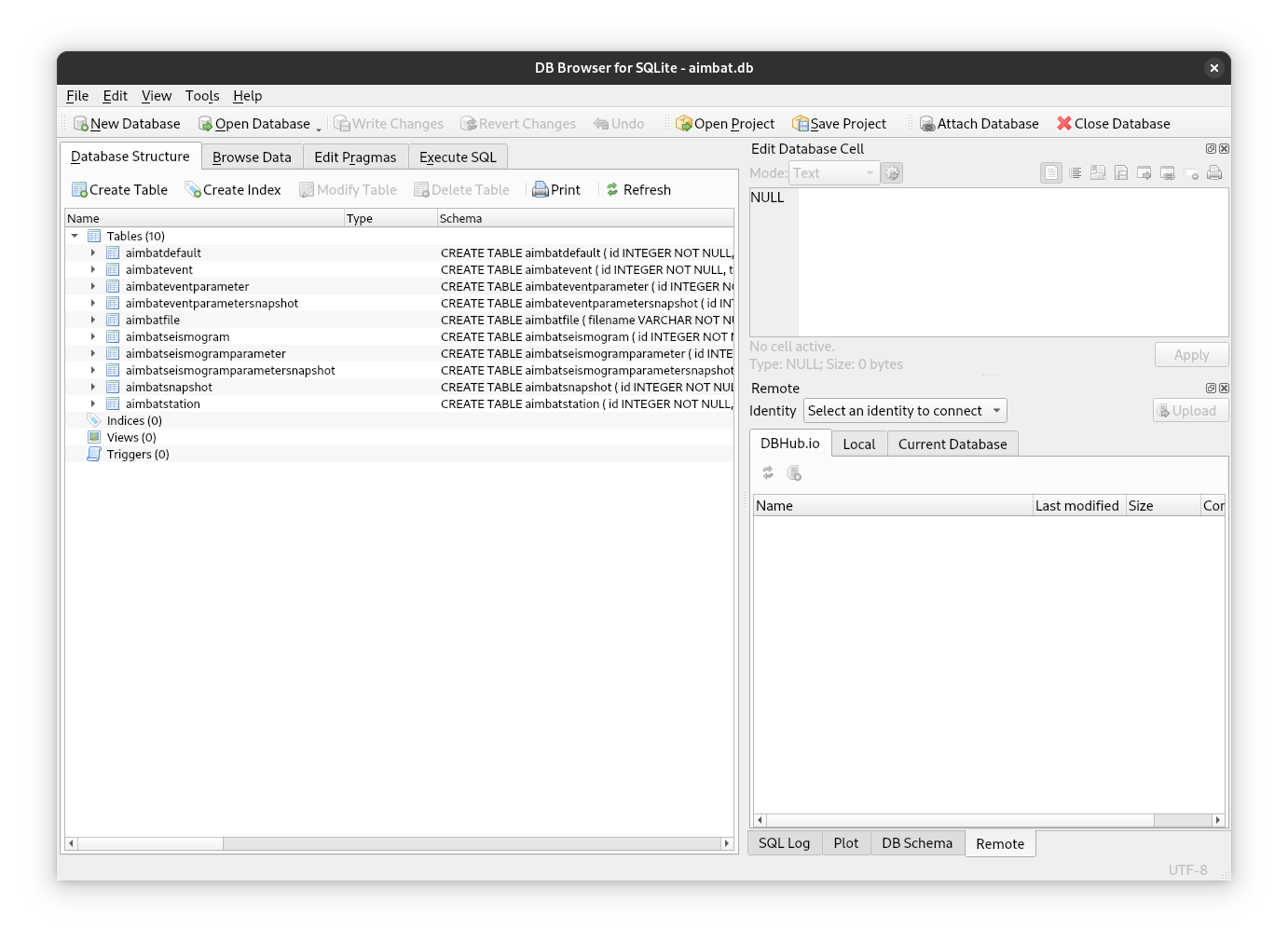
An AIMBAT project is a single SQLite file, created automatically when a new project is initialised. All project state lives in this file. You do not need to understand the database schema for normal use, but tools like DB Browser for SQLite are useful for inspecting the raw data when debugging unexpected behaviour.
Parameters
Parameters are organised in three tiers:
- AIMBAT defaults — global settings that control application behaviour and
provide initial values for event and seismogram parameters. Listed with
aimbat utils settings. Stored outside the project file, since some settings are needed before a project exists. - Event parameters — shared across all seismograms of an event (e.g. time
window, filter settings, completed flag). Attributes of
AimbatEventParametersBase. - Seismogram parameters — specific to a single seismogram (e.g. arrival
time pick, select/deselect flag). Attributes of
AimbatSeismogramParametersBase.
Snapshots
Event and seismogram parameters can be captured in a snapshot at any point during processing. Snapshots are independent copies of the parameter state — rolling back to one restores parameters exactly without affecting other snapshots. Taking a snapshot immediately after importing data is recommended, as it provides a baseline to restore the original parameter state.
Adding data after a snapshot
Snapshots only capture the state of items that exist at the time they are taken. Items added afterwards are not included. When previewing a rollback, AIMBAT shows what the full dataset would look like after the rollback — items not in the snapshot appear with their current live state.
UUIDs
All items in a project are identified internally by UUIDs:
Full UUIDs are unwieldy to type, so AIMBAT presents truncated forms — using only as many characters as needed to be unambiguous within the project. For example, four seismograms with these IDs:
6a4acdf7-6c7b-4523-aaaa-0a674cdc5f2d
647568aa-8361-45ef-bfc8-61f873847f17
c980918d-106d-44d9-a3fa-5740f58edf4e
5dcb5c4b-b416-4a7b-870f-9a8da42a7dd2
can be unambiguously referenced as:
If two characters are insufficient, three are used, and so on.
-
Deleting items from a project drops them from the database only. AIMBAT will never delete or modify any files. ↩